GreenBrokers
✓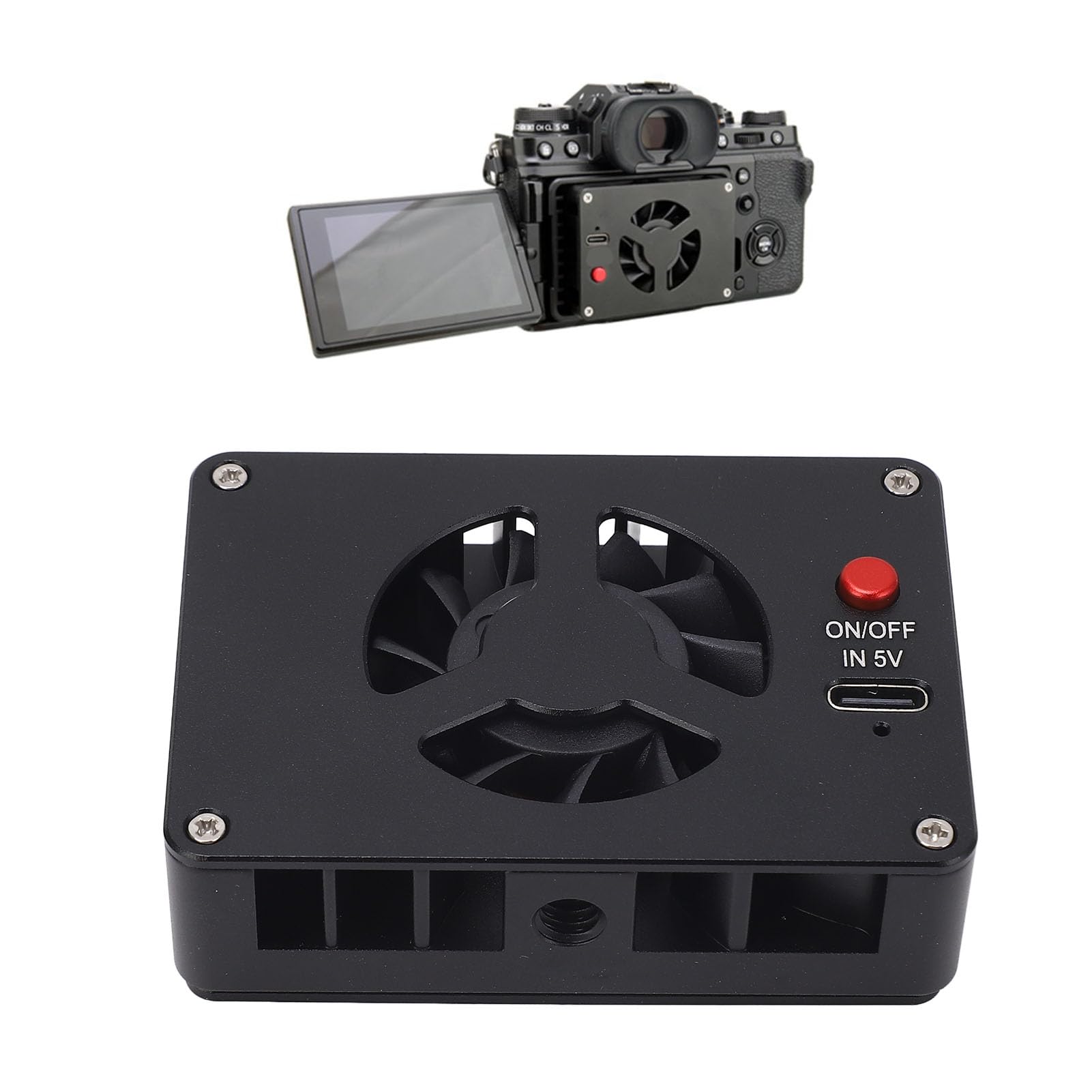
[Low Noise Design] Features a hydraulic bearing fan design with noise levels as low as 26db for silent operation. [Dual Cooling Modes] Offers high power mode for outdoor use and a regular mode for indoor long hour recording scenarios. [Plug and Play] Easy installation with a type c interface, simply connect to a power source and start cooling immediately. [Efficient Cooling] Utilizes semiconductor technology to prevent camera freezing or crashing during long recording sessions. [Wide Compatibility] Compatible with various camera models, ensuring efficient cooling for a7m4, a6700, zv e10, fuji xt4, r6, r7, and more. Spec: Item Type: Camera Cooling Fan Material: Aluminum Alloy Weight: Approx. 216g / 7.6oz Power Interface Type: Type C Compatible Camera Models: for A7M4 ZVE1 A6700 A7C2 ZV E10 ZV1 for Fuji XT4 for R6 R7 Adjustment Modes: 2 Modes Fan Noise: 26dB Temperature Difference Effect: 22℃ Package List: 1 x Camera Cooling Fan 4 x Frames 1 x Power Cable How To Use: 1. Insert one end with a buckle into the bottom of the screen hinge and press the buckle. 2. Insert the radiator into the buckle frame, plug in the type C power cable, and secure the buckle frame to the camera. 3. Long press the red switch to turn on the power, and single click to adjust the gear position. Note: When the camera is not in use, please remember to turn off the radiator to avoid condensation entering the camera body.
Customer reviews
10 Trustpilot reviews total, with 2 shown at a time.
I wrote to Bigamart's customer support and they accompanied the process of reshipping the item until it finally arrived. I felt a genuine effort to solve the problem till it was finally solved.
The package was here in Australia from England in a few days — so quick! Something was missing and they refunded it straight away. Pretty happy with these guys.
You might also like